
Can I create quotes and convert them to invoices?
Yes, you can create a quote with customer details and pricing and it will automatically create the invoice and purchase order.
Step 1: Save and send to the client by clicking ✉ next to QUOTE in your vehicle .
When your client accpet the quote, you can sompli accepted, click "Convert to invoice" and all information transfers automatically to a new invoice.
Step 2: Send
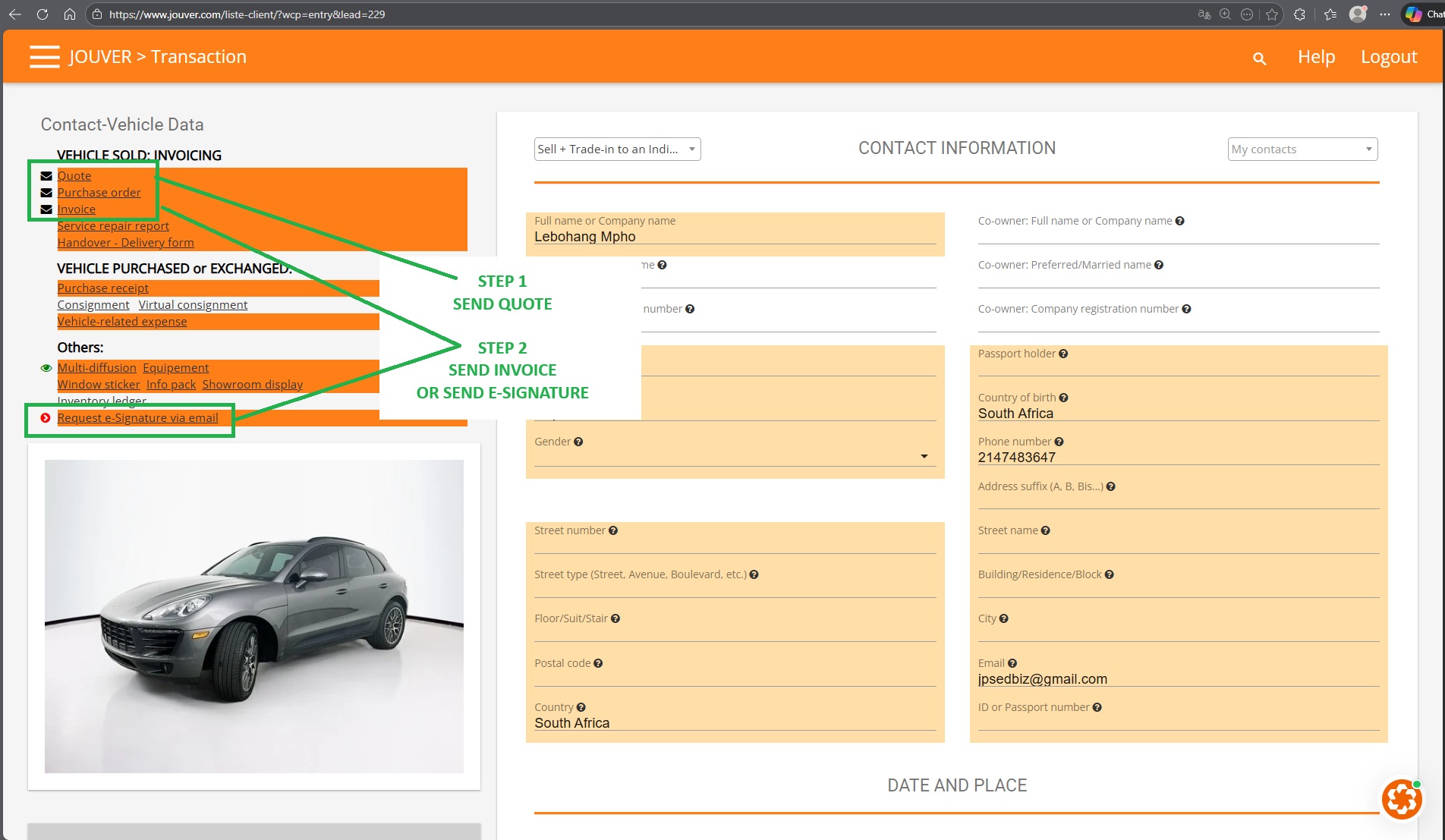
e-Signature:
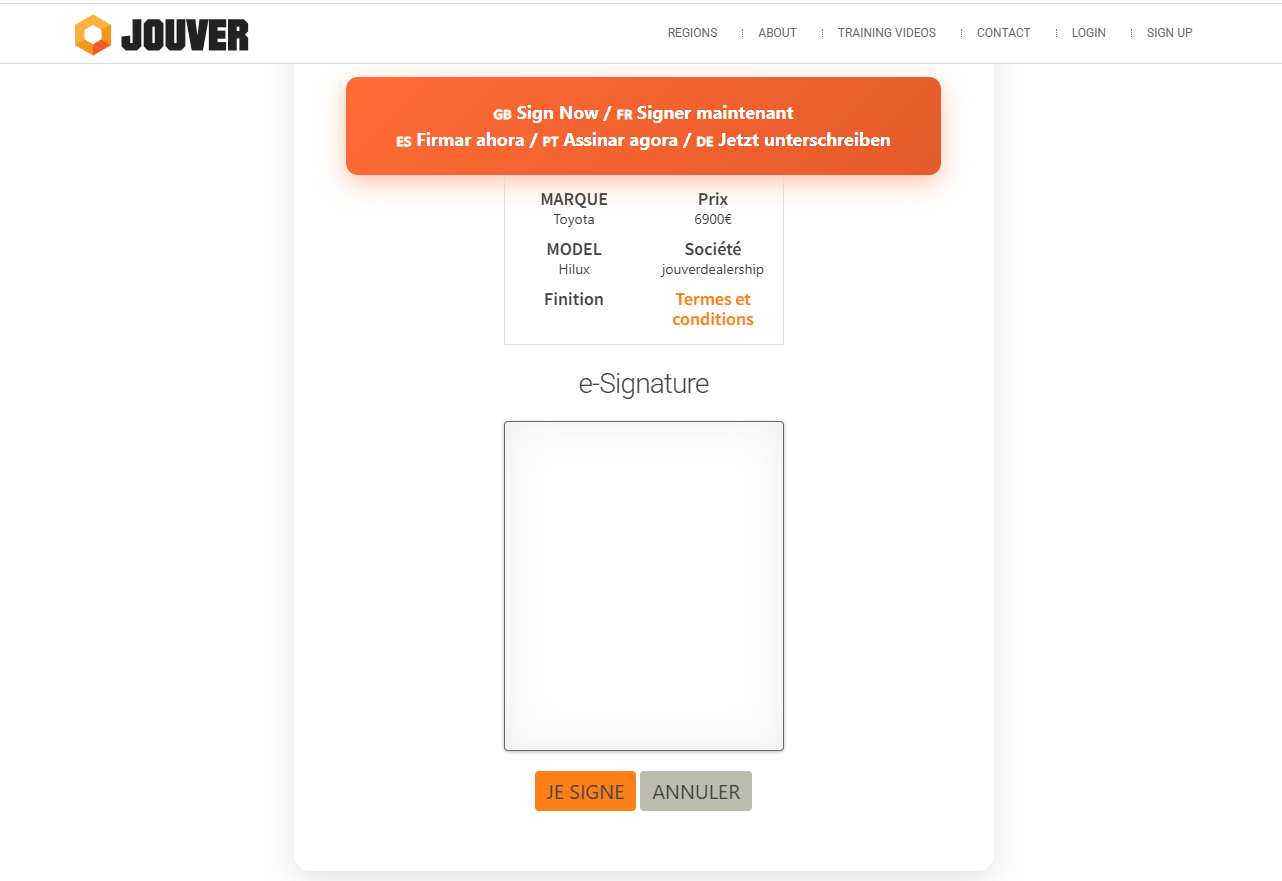
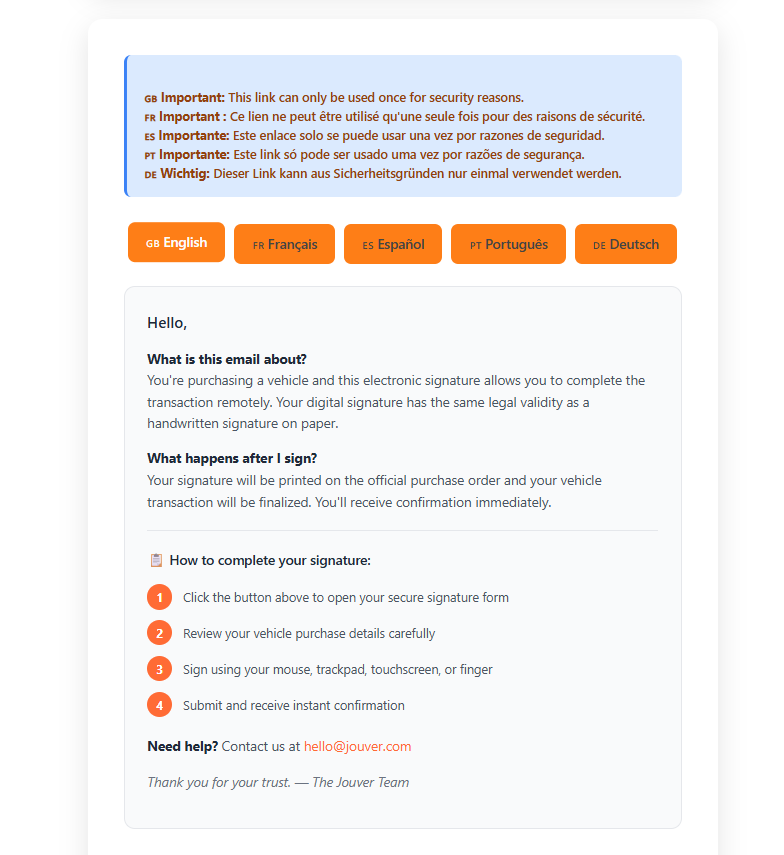
The client will receive a request for esignature by email and will be send on a secured page on Jouver showing the vehcile he is buying from your dealership:
How do I create a quote and send an invoice?
- Click the Plus button to create a new quote for the potentiao buyer and your vehicle in stock..
- Add your customer from your contacts or enter their information manually.
- Include all line items with descriptions, selling prices, and appropriate tax rates. You can apply discounts as fixed amounts or percentages.
- Save the quote and preview it as PDF before sending it by email directly to your client.
- Jouver keeps the quote in an active state until you close or convert it. When your customer accepts, simply send the Invoice by email or use the e-signature features Jouver.
- This will creates a complete invoice document with a new invoice number, copying all line items, prices, tax calculations, and customer information. This eliminates duplicate data entry and ensures accuracy between your quote and final invoice.