
Can I track deposits and remaining payments?
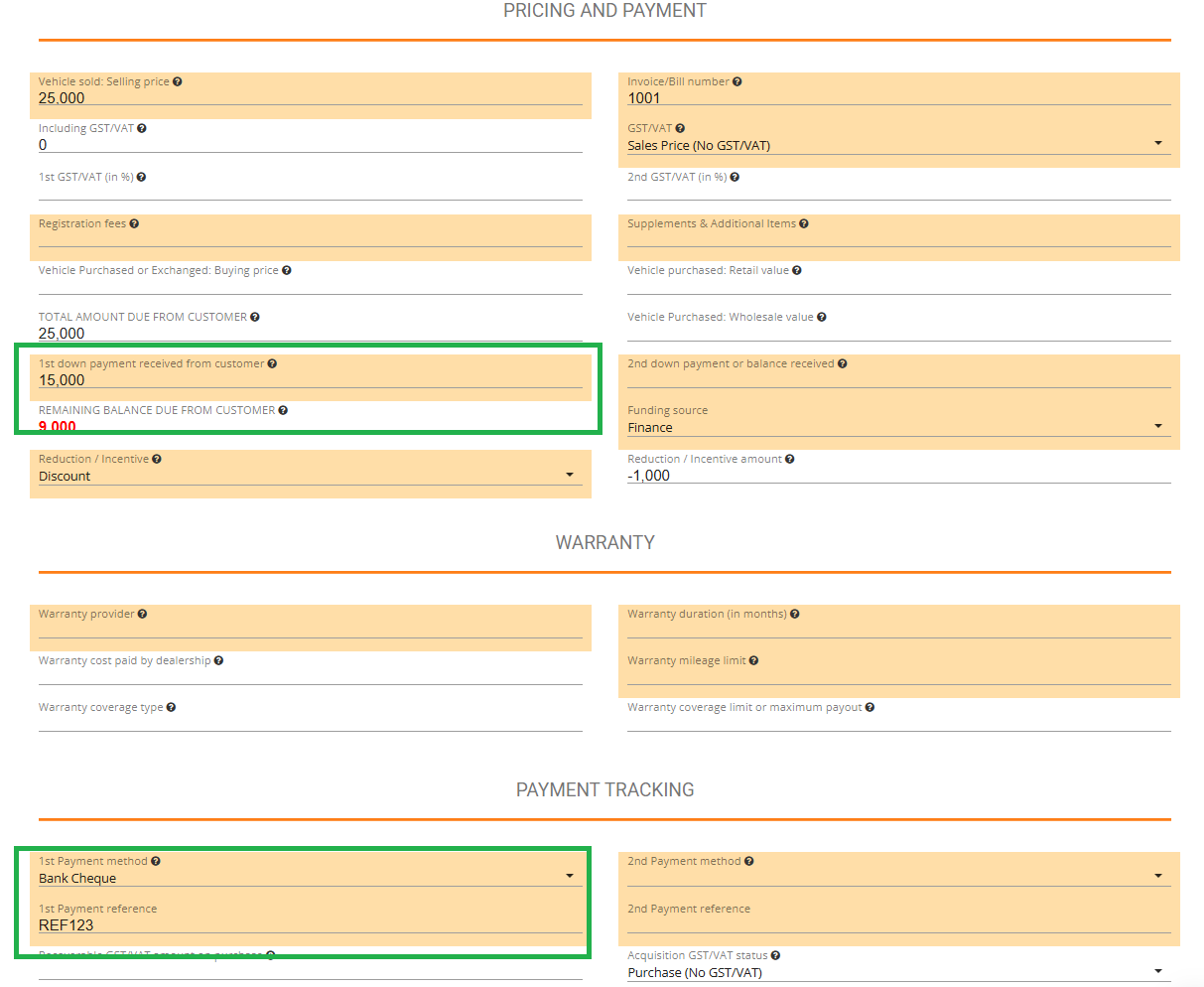
Simply enter deposit amounts in the "Price and Payment" section. Jouver automatically calculates and displays the remaining balance. If the balance is zero, the invoice shows as paid in full. You can use payment tracking to confirm payment method and payment reference. Unpaid balances appear in red.
In the sample below, the customer owes you 9,000.
The Quote, Invoice, and all the other data in Jouver will be automatically updated.
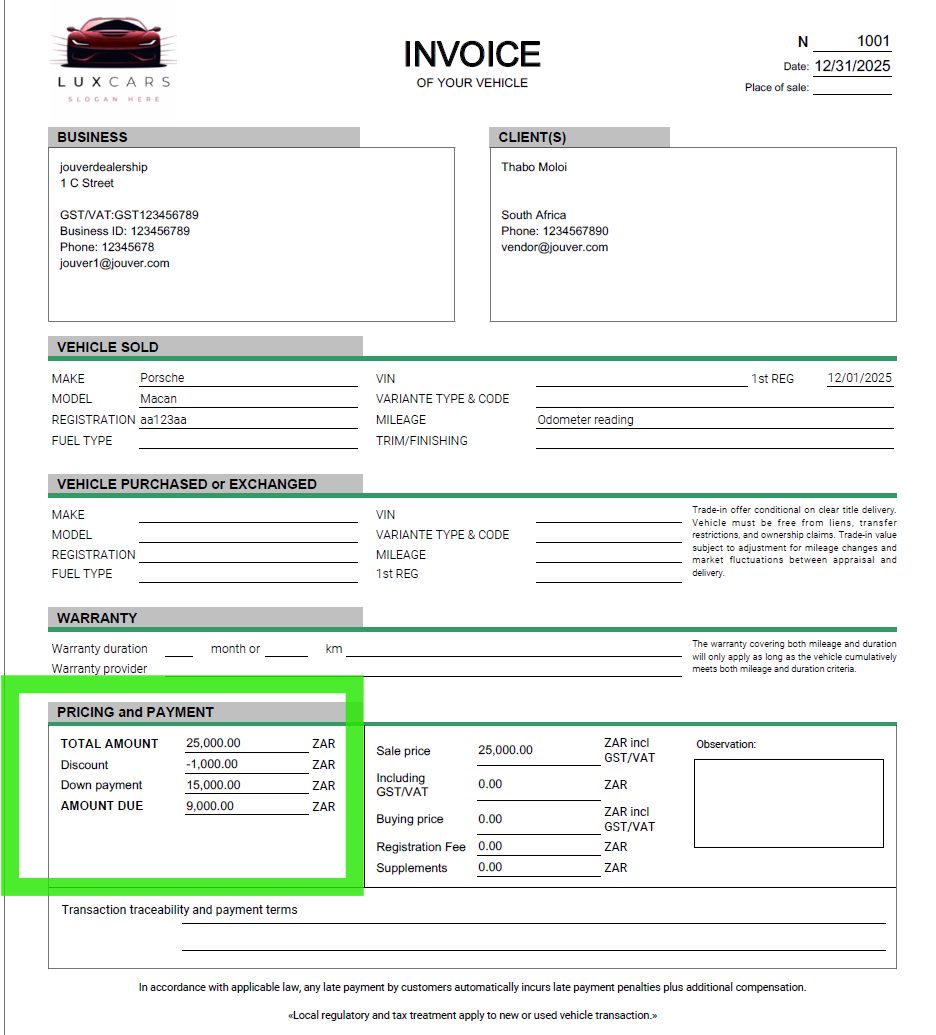
Deposit tracking prevents errors and clarifies financial status at a glance. When a customer makes a partial payment or deposit, enter that amount in the designated deposit field. Jouver immediately subtracts this from the total amount due and displays the remaining balance prominently. This calculation updates in real-time if you change any transaction details like price or trade-in value. The visual system makes status obvious: when the remaining balance reaches exactly zero, Jouver marks the invoice as fully paid and the transaction is financially complete. When any amount remains outstanding, that figure appears in red text, instantly drawing attention to unpaid invoices. This color coding helps you quickly scan your Dashboard or Sales page to identify which deals need payment follow-up. You can record multiple deposits as a customer makes progressive payments, and the remaining balance decreases with each entry. This transparent tracking protects both you and your customer by maintaining a clear record of exactly what's been paid and what's still owed. It prevents awkward situations where memories differ about payment status and provides documentation you can reference if collection issues arise.