
How do I process a trade-in transaction?
Create a transaction type “Sell to individual + Trade-Ins.”
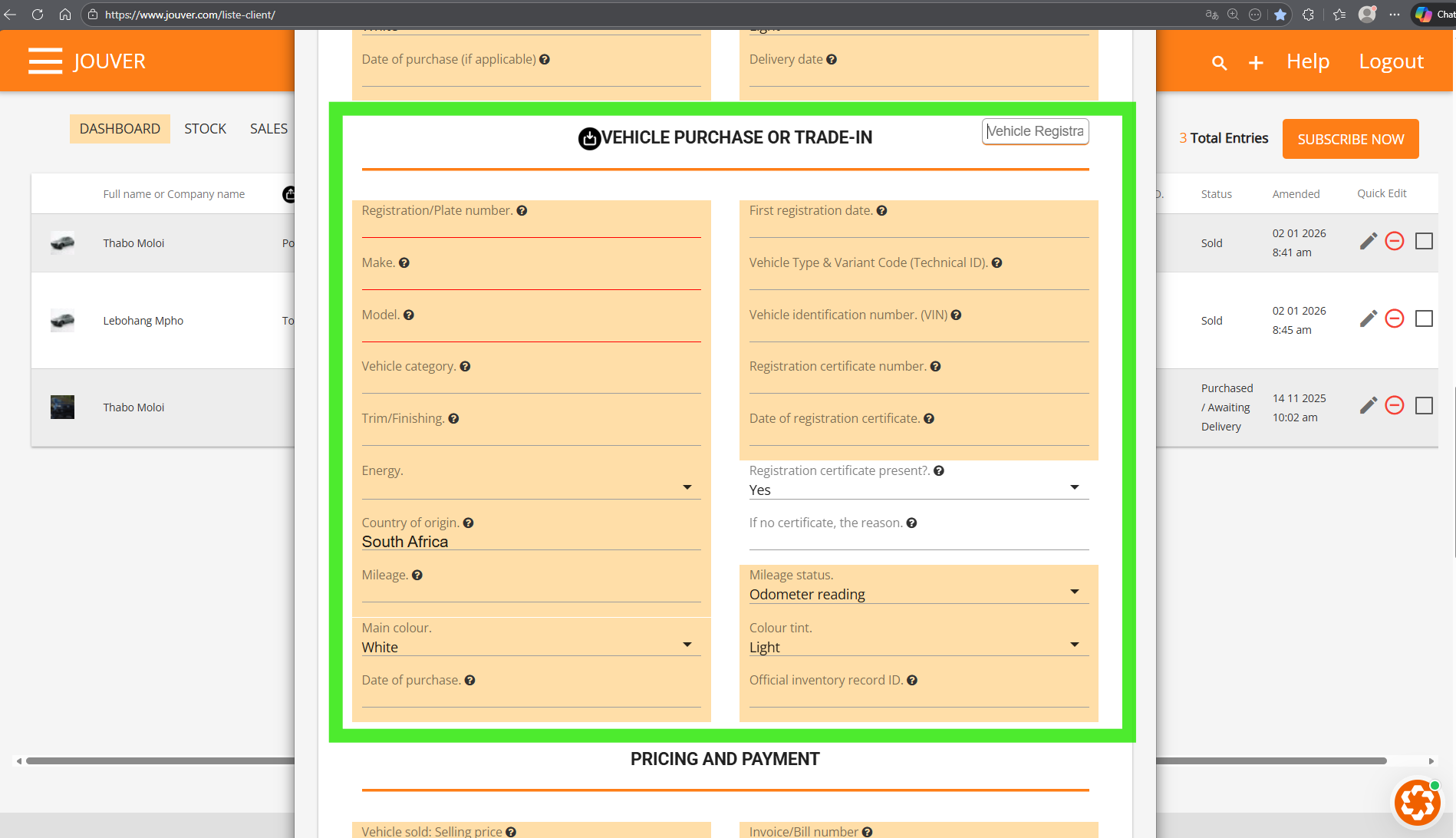
Enter the trade-in vehicle’s license plate in the Purchase section, then set both the buying price (trade-in value) and the selling price (vehcile being sold)
Save the transaction—Jouver automatically recalculates the total and final amount due.
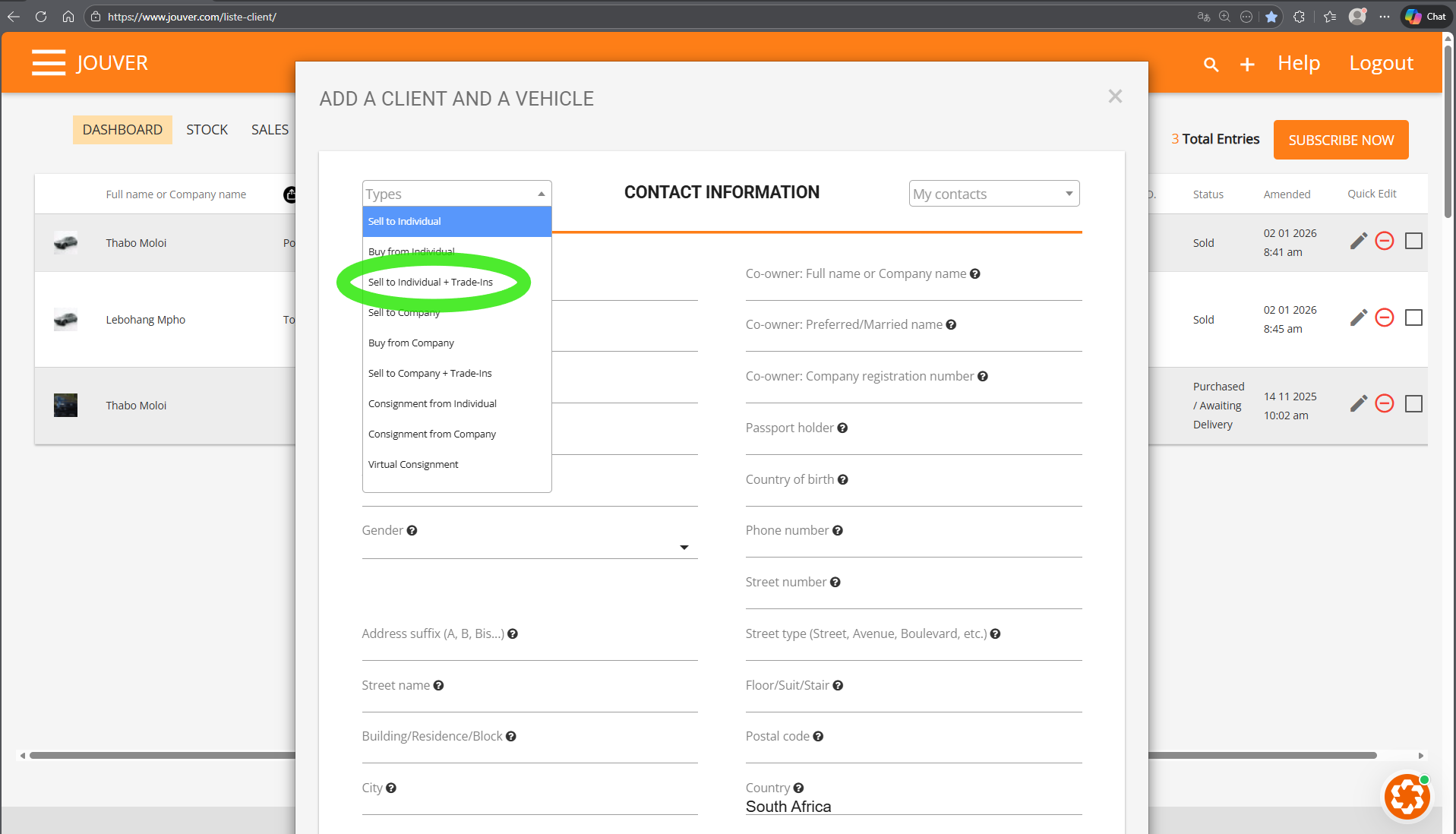
Detailled process below:
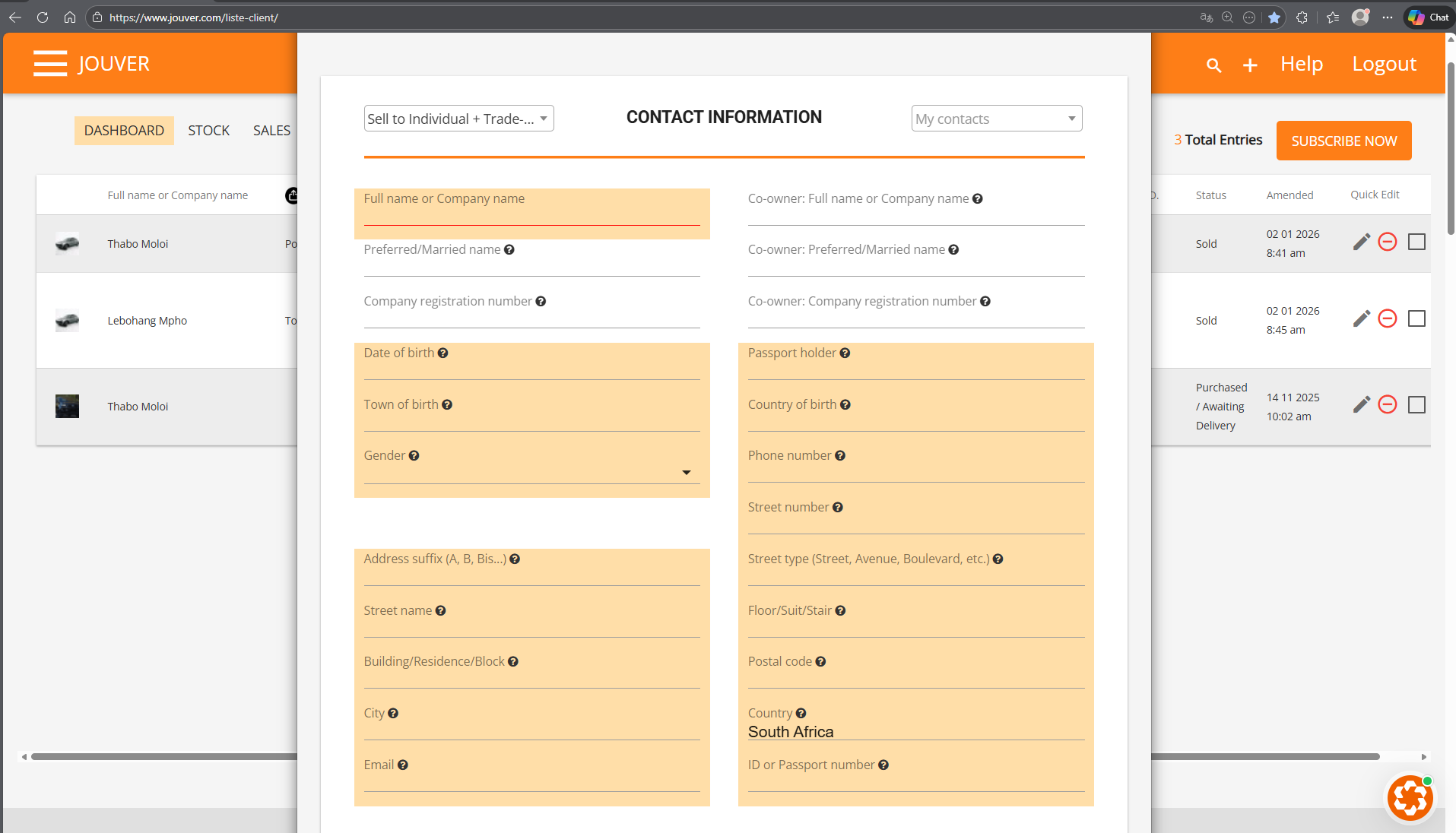
Step 1: Enter the Client Details: Complete the customer information as usual.
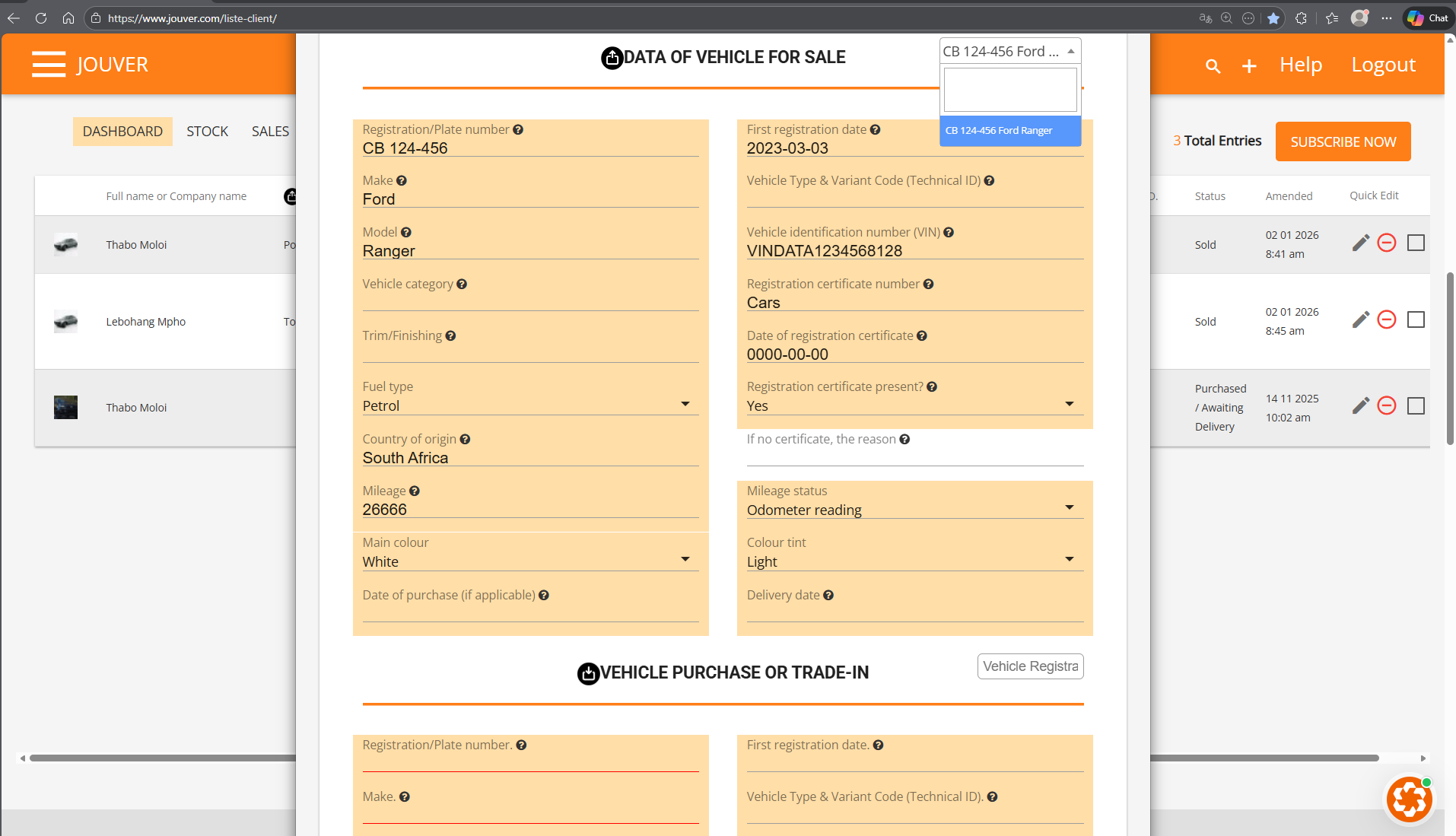
Step 2: Choose the vehicle to be sold from your Stock.
Jouver automatically populates all vehicle data.
Step 3: Vehcile Trade-In details.
Step 4: In PRICING AND PAYMENT, you should add both: Selling price (vehcile being sold) AND Vehicle Purchased or Exchanged: Buying price.
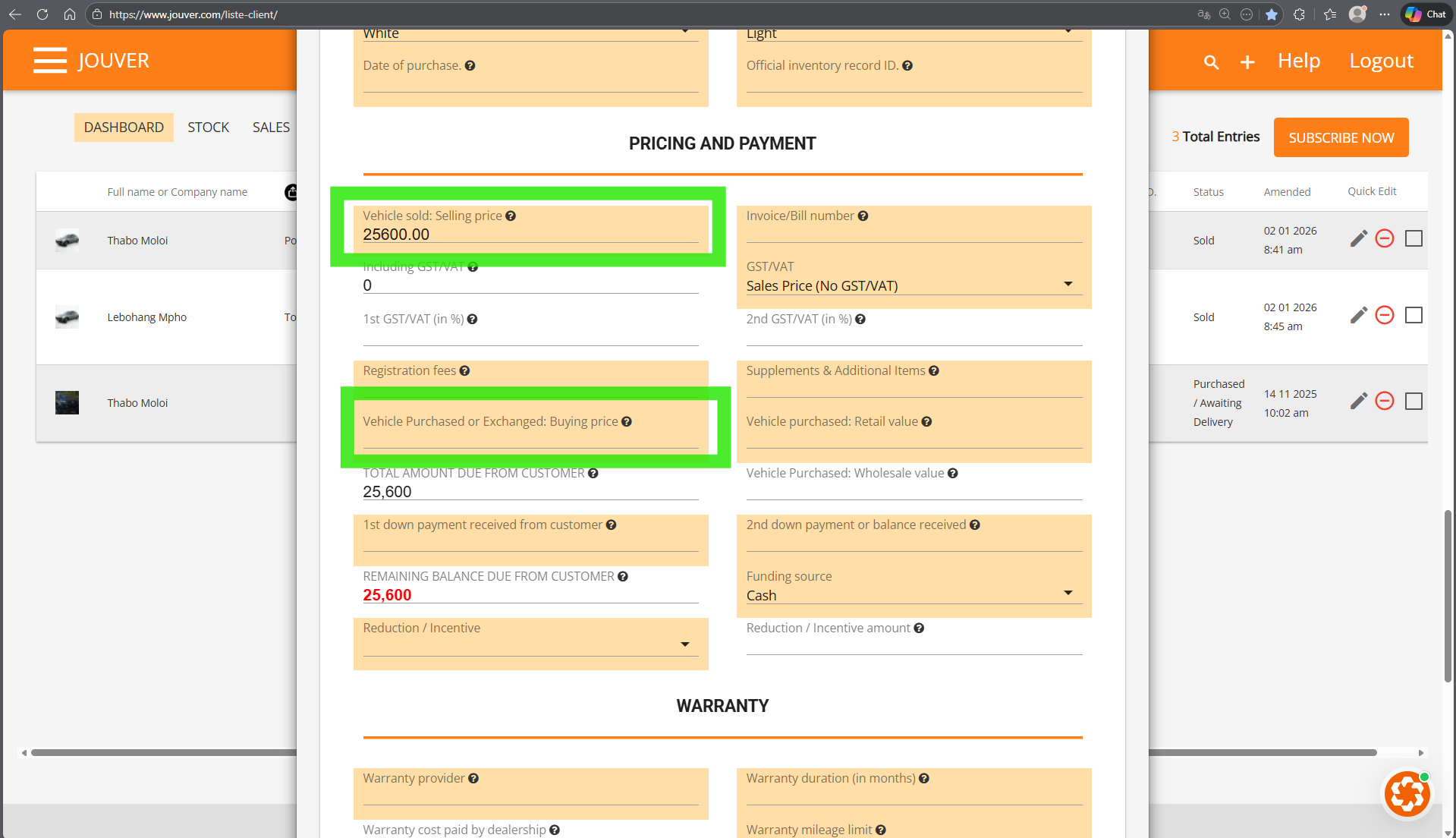
Step 5: Save and Let Jouver Handle the Rest
Once saved:
- The trade-in vehicle is automatically added to Stock
- A new vehicle file is created so you can add photos and relist it in your digital showroom
- The sold vehicle is removed from Stock and the digital showroom
- All documents, inventory, and financial records are updated instantly