
How do I handle tax on vehicle purchases?
In the purchase record, scroll to "Traceability of Operations" and select the tax mode: Without tax (private seller), With tax (registered professional), or if you are based in the EU, Intracom (EU purchase) or Double VAT/GST (if you have to add 2 differents tax).
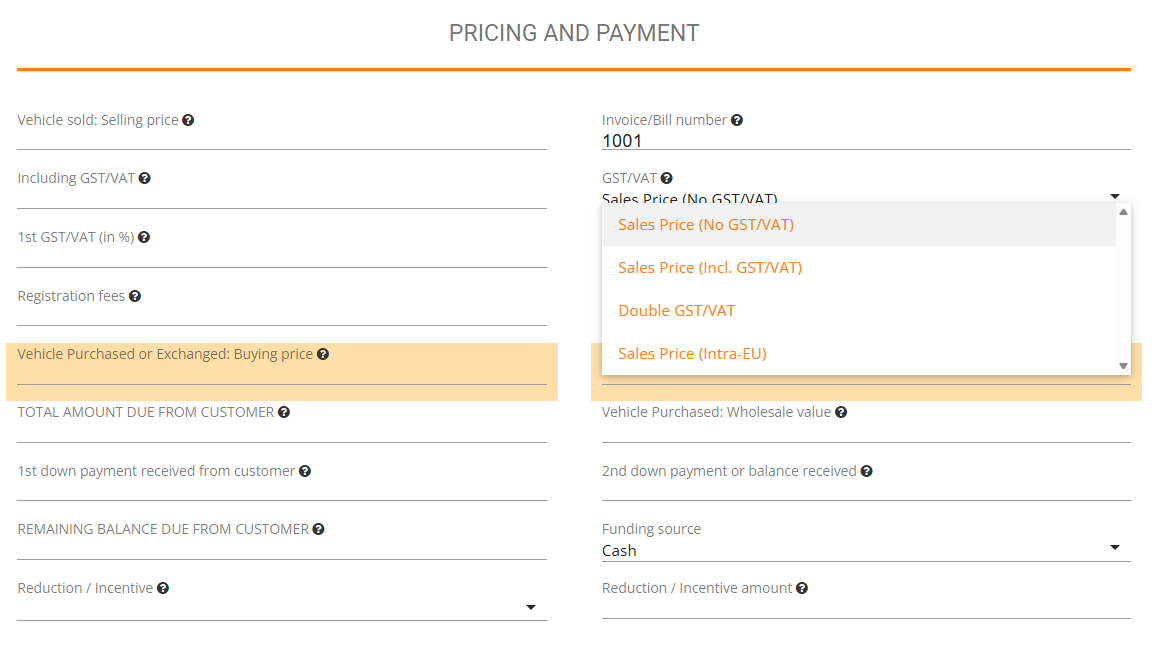
Details: Proper tax recording at purchase is essential for accounting accuracy and compliance. When you create or edit a vehicle purchase transaction, locate the Traceability of Operations section. You'll see three tax mode options.
- Select "Without tax" if you purchased from a private individual who doesn't charge tax.
- Select "With tax" if you bought from a tax-registered business, which allows you to potentially recover the tax paid.
- Select "Intracom" if you purchased the vehicle from a seller in another EU country, which follows special cross-border rules.
- Selet "Double GST/VAT" if you have 2 different tax , like country and regional tax.
If you chose "With tax", enter the specific amount of tax you paid and can potentially recover. This information flows through to your export files and accounting reports. Recording tax correctly at the point of purchase ensures your cost basis is accurate, your tax recovery claims are documented, and your financial reports show true profitability. Jouver maintains this information throughout the vehicle's lifecycle in your inventory.