
Can I customize the terms and conditions on my documents?
Yes. Enter your terms and conditions in company settings. They automatically appear on quotes, purchase orders, and other sales documents, and in digital signature emails sent to clients.
Click here to change your terms and conditions.
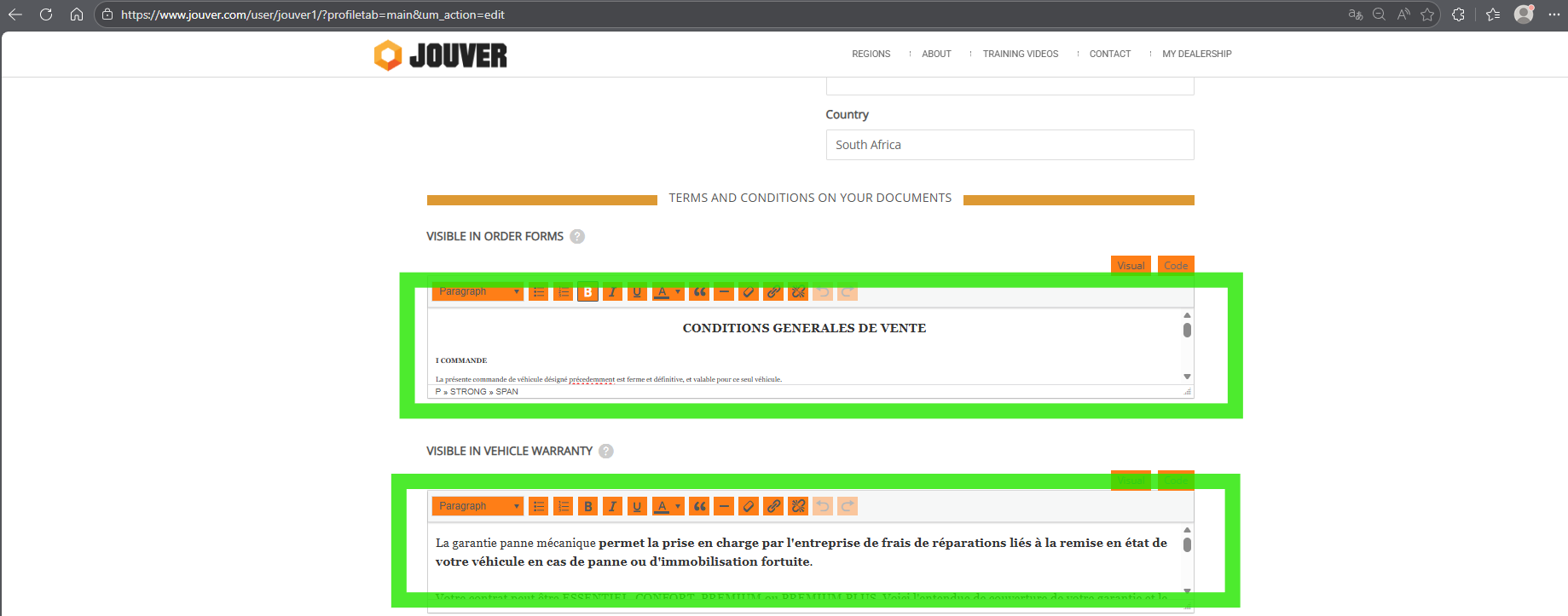
Details: Customizable terms and conditions protect your business legally and ensure customers understand your policies.
Access your company settings here and locate the terms and conditions section .
Here you can enter or paste your complete terms text, which typically covers warranties, return policies, payment terms, dispute resolution, limitation of liability, and other legal provisions relevant to vehicle sales in your jurisdiction.
Once saved, these terms automatically populate onto every relevant document Jouver generates. They typically appear on the second page or in a designated section of quotes and purchase orders, formatted appropriately for readability. When you send electronic signature requests, customers see your terms and conditions as part of the information they review before signing, ensuring informed consent.
You can update your terms anytime, and the new version applies to all subsequently generated documents while historical documents retain the terms that were active when they were created. Many dealers have their terms reviewed by an attorney to ensure adequate legal protection for their specific business model and location. Proper terms and conditions reduce misunderstandings with customers and provide legal protection if disputes arise about what was agreed upon during the sale.