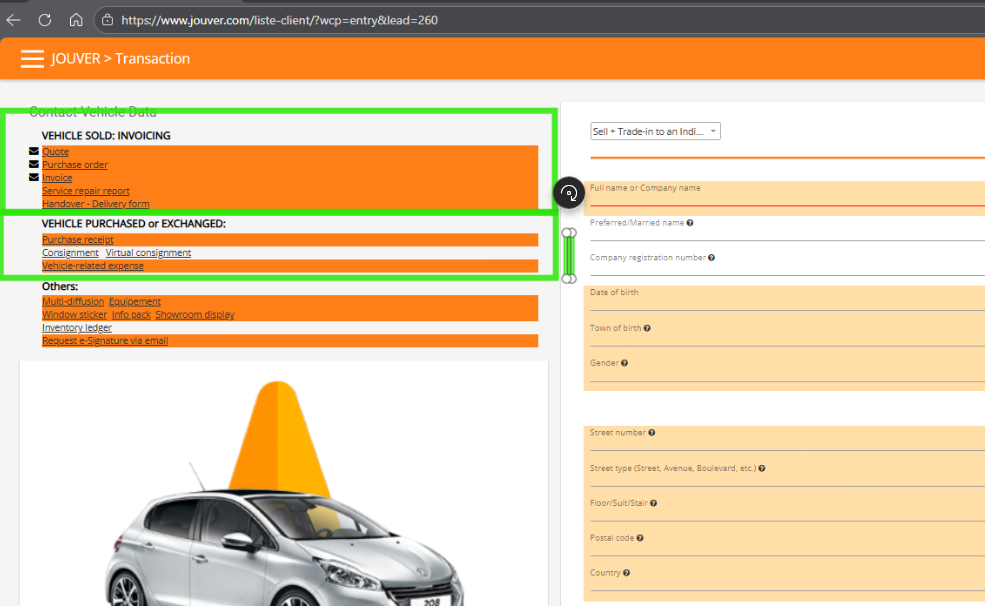
What is "Sell to Individual + Trade-ins" transaction?
This combined transaction handles selling a vehicle to a private buyer while simultaneously taking their vehicle as a trade-in. Jouver manages both vehicles in one transaction and automatically calculates the net amount due.
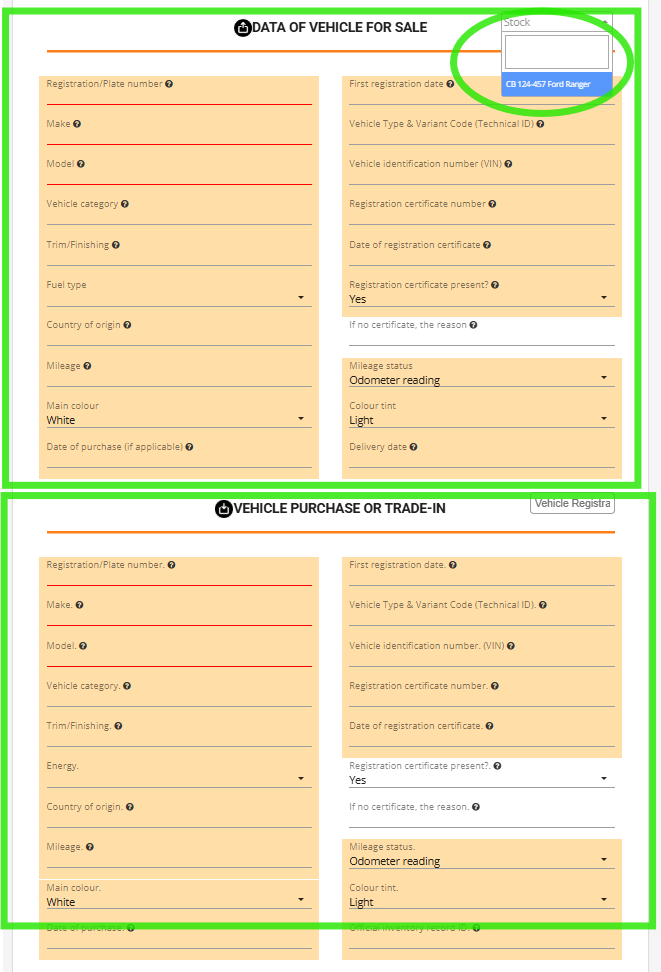
Start by selecting the vehicle you're selling from your stock. This will auto populuate the data for the car.
Then scroll to the TRADE-IN section and enter the customer's trade-in vehicle license plate and vehicle details.
Pricing and Payment for Sell to Individual and Trade-in transactions:
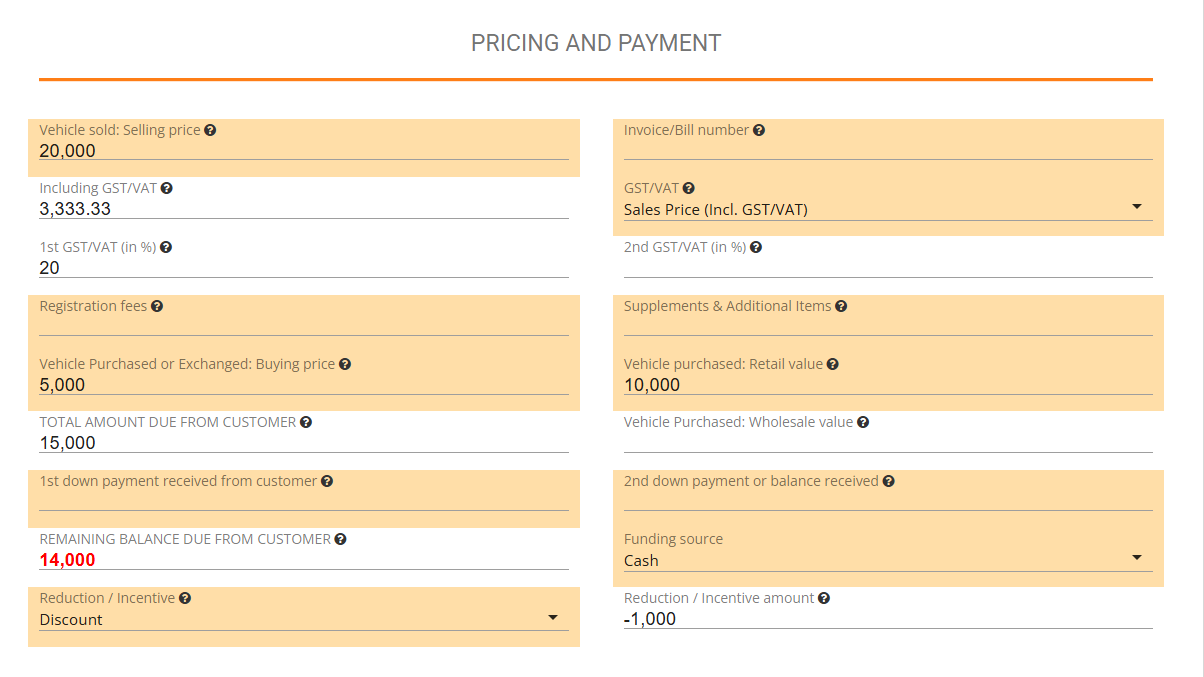
Jouver immediately recalculates the transaction: selling price plus any fees minus trade-in credit minus deposits minus Reduction/Incentive equal the net amount the customer owes. If the trade-in value exceeds the purchase price, Jouver shows the amount you owe the customer.
Here's how Jouver calculates the final amount in this example:
Step 1: Calculate Total Amount Due
Selling Price: 20,000
+ Registration Fees: 0
+ Supplements: 0
- Trade-in Credit: 5,000
= Total Amount Due: 15,000
Step 2: Apply Discount
Total Amount Due: 15,000
- Discount: 1,000
= Subtotal After Discount: 14,000
Step 3: Subtract Payments Received
Subtotal: 14,000
- 1st Down Payment: 0
- 2nd Payment: 0
= REMAINING BALANCE: 14,000
Final Result: Customer owes 14,000
The menu system will highlight both VEHICLE SOLD : INVOICING and VEHCILE PURSCHASED or EXCHANGED and generates comprehensive documentation covering both vehicles.